
Folders and archives
Open image folders or comic archives — CBZ, CBR, CB7, ZIP, RAR, 7z, LHA, ALZ, ISO, and PDF — without unpacking first.

Mac App Store · Entertainment
Digital Comic Viewer
Read comics and images from folders or archives — with a bookshelf, bookmarks, and modes built for manga and webtoons.
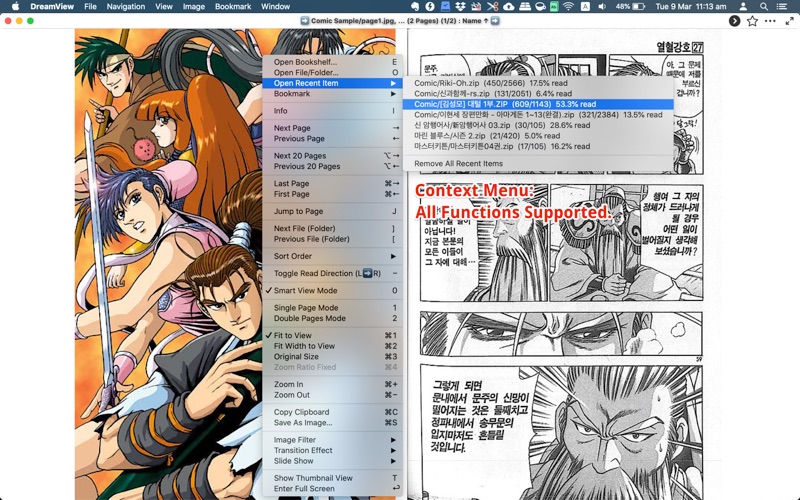
DreamView is built for digital comics and image collections — browse folders or compressed files, manage a library on the bookshelf, and read with controls tuned for long sessions.
Open image folders or comic archives — CBZ, CBR, CB7, ZIP, RAR, 7z, LHA, ALZ, ISO, and PDF — without unpacking first.
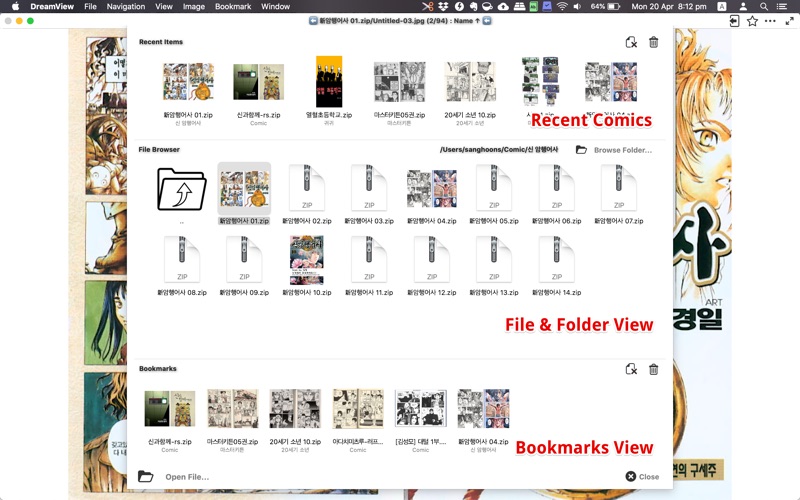
Recent items, bookmarks, and one-click next/previous book navigation keep large libraries manageable.
Toggle read direction for Japanese comics, switch single or double pages, and scroll vertically for webtoon-style images.
Archives
DreamView uses The Unarchiver (XADMaster) to read split archives, password-protected files, and non-English filenames — then shows images inside without a separate extract step.
Reading
Switch between left-to-right and right-to-left reading, single and double-page spreads, and smart view mode that fits each image. Track progress with bookmarks and resume from recent items.
Viewing
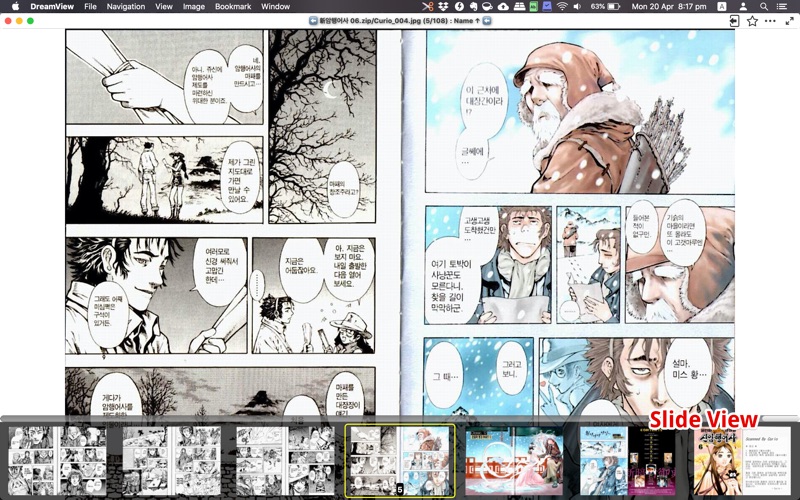
Fullscreen reading, thumbnail browsing, image filters (sharpen, mono, sepia), transition effects, clipboard copy, and vertical scroll for long webtoon pages — with trackpad swipe and zoom support.
Drop a folder or archive onto DreamView, or browse from the bookshelf to build your library.
Pick a title, set read direction and page mode, then move through pages with keyboard, trackpad, or on-screen controls.
Recent items and bookmarks remember where you stopped — jump to the next book in the series with one click.
Native macOS comic and image viewer by woojooin. Continuously updated since 2014 — archive support, bookshelf UI, reading modes, and webtoon-friendly scrolling.
I am the author and developer of DreamView for Mac. I design, ship, and maintain the product end to end — archive integration, bookshelf and reading UX, image rendering and filters, localization, and App Store releases.
Built as a native Mac app with Objective-C, AppKit, and The Unarchiver (XADMaster) framework.