
Browse quickly
Thumbnail browsing for common image types (and video thumbnails), plus a folder tree to move through disks without losing context.

Mac App Store · Photo & Video
Elegant Image Viewer
Browse, view, and lightly edit images on your Mac — without switching to a separate file manager.
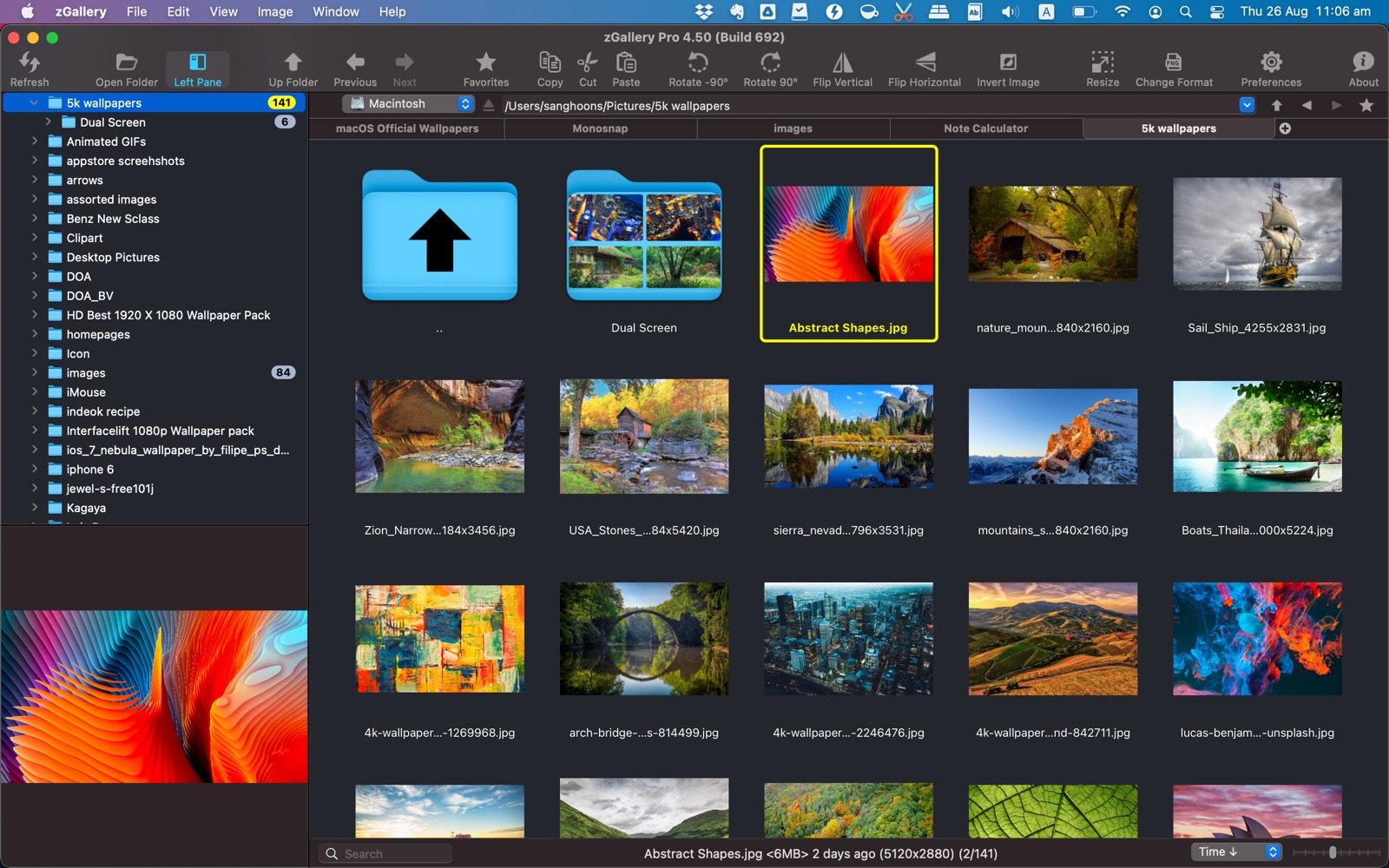
zGallery combines fast image browsing with the file actions you need — copy, move, delete, drag and drop — so viewing and organizing stay in one place.
Thumbnail browsing for common image types (and video thumbnails), plus a folder tree to move through disks without losing context.
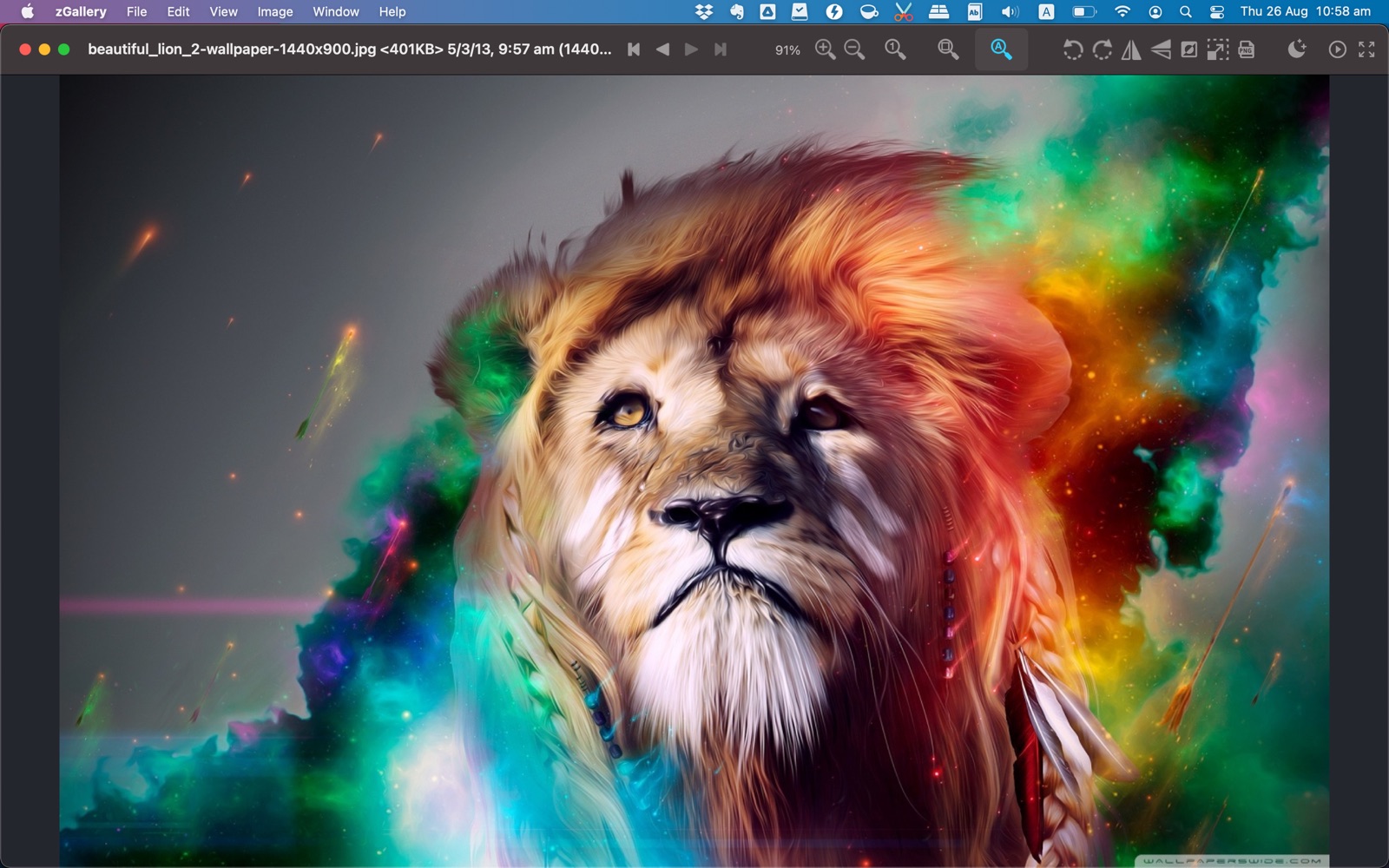
Zoom, fullscreen, and slideshow make it easy to review photos and image collections at speed.
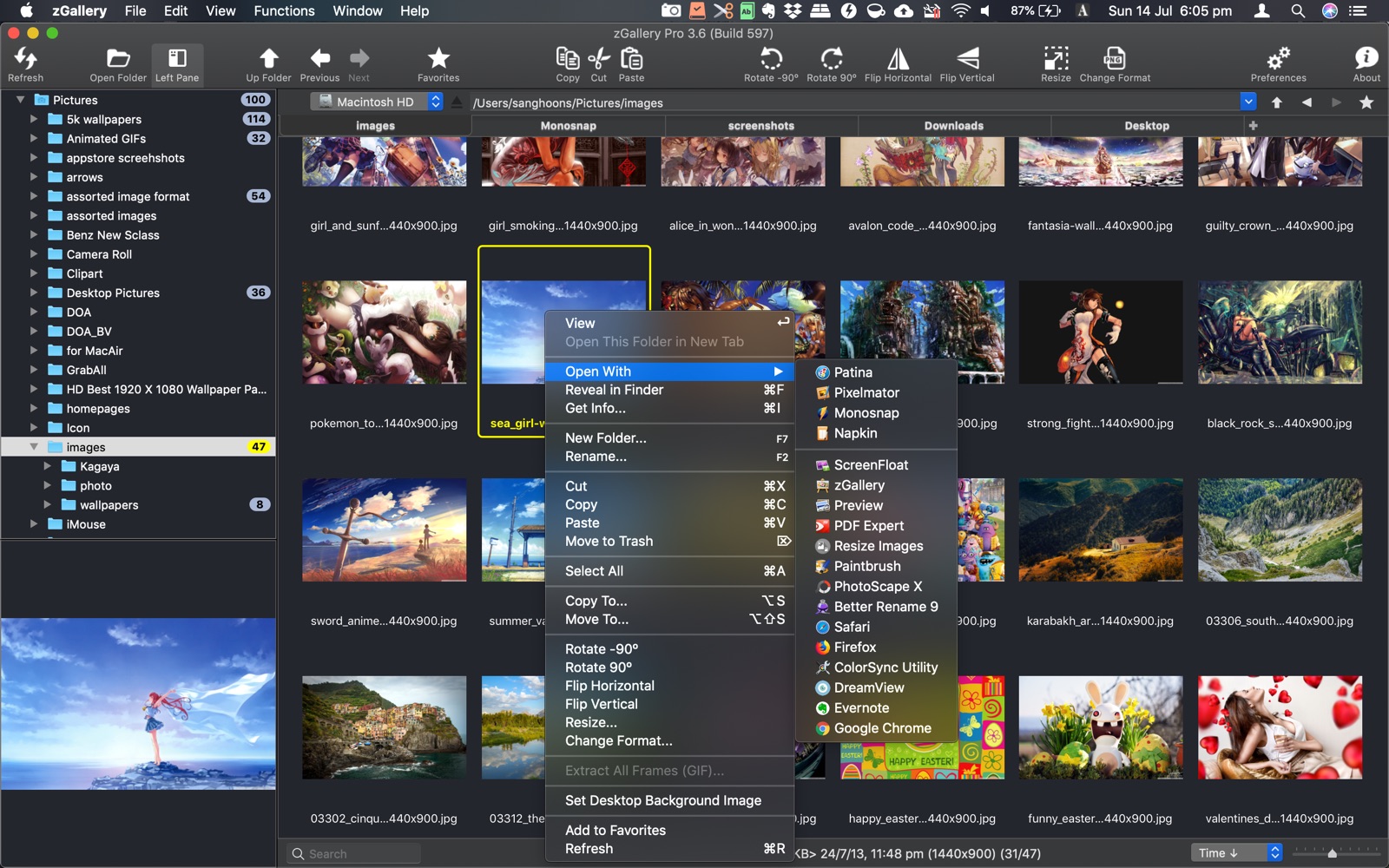
Rotate, flip, resize, change format, extract GIF frames, set wallpaper, and manage files with Finder-like drag and drop.
Browsing
Open a folder and move through images with thumbnail browsing and a tree panel. Folder thumbnails help you spot collections quickly.
Viewing
Review images comfortably — zoom in and out, go fullscreen, or run a slideshow when you need to go through a set of photos.
Editing & files
Rotate, flip, resize, convert format, extract frames from animated GIFs, set the desktop wallpaper, and copy, move, or delete — including Copy & Paste and Drag & Drop like Finder.
Browse with thumbnails and the folder tree to find the images you need.
Zoom, go fullscreen, or start a slideshow to move through the set.
Apply light edits, set wallpaper, or copy, move, and delete without leaving zGallery.
Native macOS image viewer by woojooin. Continuously updated for fast browsing, viewing, light editing, and in-app file management.
I am the author and developer of zGallery for Mac. I design, ship, and maintain the product end to end — browsing, viewing, light editing, file actions, localization, and App Store releases.
Built as a native Mac app with Objective-C and Cocoa.